01 / Start with context Available
A repository-first workspace
Open a repository and move between its changes, history, branches, and remotes without losing context.

Revus puts repository state, history, and the next Git action in one calm view. It is made for people who want to understand what is happening before they change it.
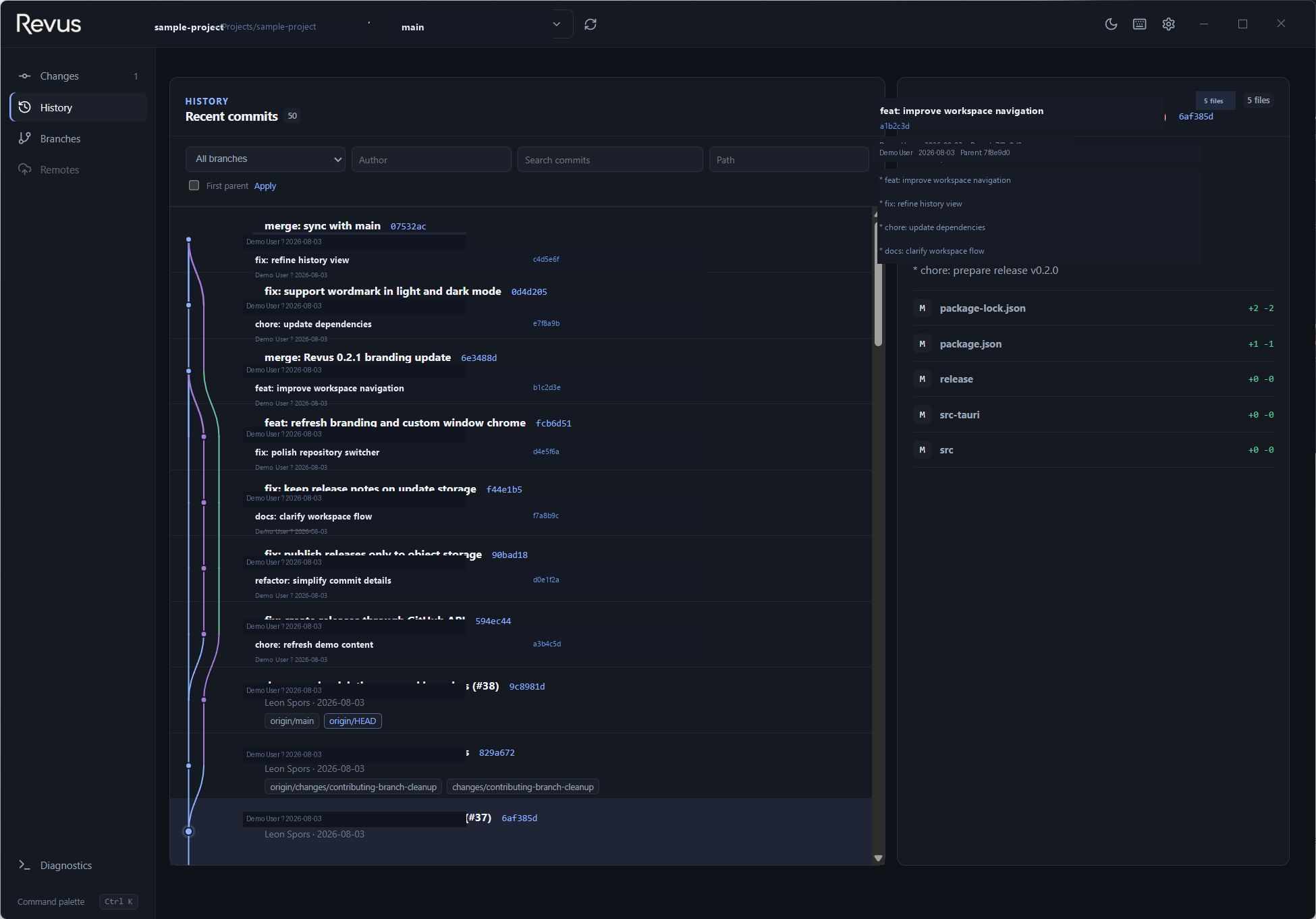
Revus desktop workspace · real interface preview
The point
Git makes sense when history, current changes, and the next action are close together. Revus is built around that simple idea.
Follow commits and branches as a connected story instead of a list of hashes.
Open a repository, check its state, prepare changes, and commit without extra steps.
A calm interface for everyday work, with room for the branch, merge, and rebase decisions that come with it.
Core capabilities
See what is available now and what is still planned. Stable builds and the opt-in beta are listed separately on the download page.
Open a repository and move between its changes, history, branches, and remotes without losing context.
Review changed, staged, untracked, binary, and image files before deciding what to include in a commit.
Follow branches and merges in a graph, then inspect commit details, blame, file history, or the reflog in context.
Merge, rebase, cherry-pick, revert, or create a tag from the branch or commit you are already reviewing.
When Git pauses for a conflict, see the active operation and its available continue, skip, abort, and resolution actions.
Set up a remote or initialize a repository, then fetch, pull, push, and publish when the work calls for it.
Open the matching commit, repository, review, or pull request on its provider while keeping your local work in Revus.
Use interactive rebase, patch workflows, external tools, and diagnostics when you need them; keep them out of the way otherwise.
Create tags, rename branches, edit remotes, confirm recovery actions, and enter messages in focused Revus dialogs.
See the full capability map, grouped by delivery state.
Explore all featuresChangelog
Recent Revus releases and product updates, recorded in one place.
Revus API 0.3.1
2026-10-04
Raw anonymous telemetry events are automatically deleted after three calendar months, measured from server-side creation time.
Revus 1.3.12-1
2026-10-04
Publish a newer opt-in Windows x64 and Linux x64 beta candidate; stable remains at 1.3.10.
Revus 1.3.11-1
2026-10-04
Add separate Windows x64 and Linux x64 opt-in beta downloads without changing the stable channel.
A natural workflow
A good Git loop is simple: get oriented, inspect the change, then choose what to do next.
Choose a local repository and start with its current state.
Review changes, branches, tags, and history before choosing what to do.
Inspect diffs, stage the intended files, and prepare a commit with its context in view.
Choose a branch or commit action where its target is already visible.
Local by default
Revus works with the repositories on your machine. Core workflows stay local; optional online integrations may communicate with their own providers.
Current stable · 1.3.10
Revus is currently available at no charge. If pricing or paid features change, we will explain what is changing before it takes effect.
Join the conversation
Try a Windows or Linux build, tell us what works well, and point out where the next step could be clearer.